Stop Wasting Money on Google Ads: Smart Optimization Tips

πŸ’Έ Why You’re Wasting Money on Google Ads

Before fixing the problem, understand the cause:

  • Targeting the wrong audience
  • Using broad or irrelevant keywords
  • Poor ad copy
  • Weak landing pages
  • No tracking or testing

πŸ‘‰ Optimization is not optional in 2026β€”it’s everything.

πŸš€ Smart Google Ads Optimization Tips

🎯 1. Focus on High-Intent Keyword

Not all clicks are valuable. You need users ready to buy.

❌ β€œlaptop”
βœ… β€œbuy laptop under β‚Ή50000”

βœ” Use long-tail keywords
βœ” Add negative keywords
βœ” Match keywords with user intent

πŸ” 2. Use Negative Keywords (Big Money Saver)

Negative keywords stop your ads from showing to the wrong people.

πŸ‘‰ Example:
If you sell premium shoes, add β€œcheap” as a negative keyword.

βœ” This reduces wasted clicks
βœ” Improves conversion rate

✍️ 3. Improve Your Ad Copy

Your ad should sell, not just inform.

βœ” Add offers (Discount, Free Trial)
βœ” Use emotional triggers (Limited Time, Hurry!)
βœ” Clear CTA (Buy Now, Get Quote)

πŸ‘‰ Better ads = better clicks = better ROI

🌐 4. Optimize Your Landing Page

Even the best ads fail if your landing page is weak.

βœ” Fast loading speed
βœ” Mobile-friendly design
βœ” Clear headline & CTA
βœ” Trust signals (reviews, ratings)

πŸ‘‰ Your landing page should match your ad promise.

πŸ€– 5. Use AI & Smart Bidding

Modern Google Ads is powered by AI.

βœ” Use Smart Bidding (Maximize Conversions, CPA)
βœ” Try Performance Max campaigns
βœ” Let AI optimize placements and bidding

πŸ“Š 6. Track Everything (No Data = No Growth)

If you don’t track, you’re guessing.

βœ” Set up conversion tracking
βœ” Track calls, leads, purchases
βœ” Use data to improve ads

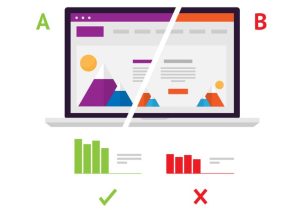
πŸ§ͺ 7. Always Test (A/B Testing)

Never rely on one version of your ad.

βœ” Test headlines
βœ” Test descriptions
βœ” Test landing pages

πŸ‘‰ Small changes can double your results.

πŸ“‰ 8. Pause What’s Not Working

Stop wasting money on poor-performing campaigns.

βœ” Check CTR (Click-Through Rate)
βœ” Check conversion rate
βœ” Pause low-performing keywords

πŸ’° 9. Optimize Your Budget

Don’t spread your budget everywhere.

βœ” Focus on top-performing campaigns
βœ” Reduce spend on weak ads
βœ” Scale what works

πŸ† Quick Optimization Checklist

βœ” High-intent keywords
βœ” Negative keywords added
βœ” Strong ad copy
βœ” Fast landing page
βœ” AI bidding enabled
βœ” Conversion tracking active
βœ” Regular testing

❓ FAQ (Frequently Asked Questions)

1. Why am I losing money on Google Ads?

Because of poor targeting, weak keywords, and no optimization strategy.

2. How can I reduce wasted ad spend?

Use negative keywords, improve targeting, and pause low-performing ads.

3. What is the best bidding strategy in 2026?

Smart Bidding (like Maximize Conversions) works best for most campaigns.

4. How often should I optimize my ads?

At least once a week for best performance.

πŸ“Œ Conclusion

If you’re wasting money on Google Ads, the solution is not to stop adsβ€”it’s to optimize them.

πŸ‘‰ Focus on smart targeting, better ads, and continuous testingβ€”and you’ll turn your ad spend into real profit.
 

Why Your Google Ads Are Not Converting (Fix This Now)”

🚫 1. You’re Targeting the Wrong Audience

Many campaigns fail because they target too broad or irrelevant audiences.

πŸ‘‰ Example:
Showing β€œbuy shoes” ads to people just browsing fashion blogs.

βœ… Fix:

  • Use high-intent keywords (like β€œbuy running shoes online”)
  • Focus on location, device, and audience segments
  • Use remarketing to target interested users

πŸ” 2. Your Keywords Are Weak or Too Broad

Not all keywords bring buyers. Some bring only traffic.

❌ Bad keyword: β€œshoes”
βœ… Good keyword: β€œbuy sports shoes under β‚Ή2000”

βœ… Fix:

  • Use long-tail keywords
  • Add negative keywords
  • Focus on intent, not just volume

πŸ“‰ 3. Your Ad Copy Is Not Attractive

If your ad doesn’t grab attention, users won’t clickβ€”or convert.

❌ Boring ad: β€œWe sell shoes”
βœ… Better ad: β€œFlat 50% OFF on Premium Shoes – Limited Time!”

βœ… Fix:

  • Use strong headlines
  • Add offers, urgency, and benefits
  • Include clear CTA (Call-to-Action)

🌐 4. Your Landing Page is the Real Problem

Even great ads fail if the landing page is weak.

πŸ‘‰ Common issues:

  • Slow loading speed
  • Confusing design
  • No clear CTA

βœ… Fix:

  • Keep it simple and fast
  • Match landing page with ad message
  • Add trust signals (reviews, guarantees)

⚑ 5. No Proper Conversion Tracking

If you don’t track results, you can’t improve performance.

βœ… Fix:

  • Set up conversion tracking in Google Ads
  • Track leads, purchases, and clicks
  • Use data to optimize campaigns

πŸ€– 6. Not Using AI & Automation (2026 Mistake)

Google Ads now heavily depends on AI.

❌ Old method: Manual bidding
βœ… New method: Smart bidding & Performance Max

βœ… Fix:

  • Use automated bidding strategies
  • Try Performance Max campaigns
  • Let AI optimize your ads

πŸ’Έ 7. Budget is Too Low or Mismanaged

Low budget can limit your reach and testing.

βœ… Fix:

  • Start small but optimize regularly
  • Focus budget on high-performing campaigns
  • Pause underperforming ads

πŸ“Š 8. You’re Not Testing Anything

Running one ad and expecting results is a big mistake.

βœ… Fix:

  • A/B test headlines and creatives
  • Test different audiences
  • Improve based on data

πŸ† Quick Summary (Fix Checklist)

βœ” Use high-intent keywords
βœ” Improve ad copy
βœ” Optimize landing page
βœ” Enable conversion tracking
βœ” Use AI tools
βœ” Test regularly

❓ FAQ (Frequently Asked Questions)

1. Why am I getting clicks but no conversions?

Because your traffic is not targeted or your landing page is not convincing.

2. How long does it take for Google Ads to start converting?

Usually 1–2 weeks for testing and optimization, but it depends on your strategy.

3. What is the biggest mistake in Google Ads?

Not understanding user intent and targeting the wrong audience.

4. Can I fix my Google Ads without increasing budget?

Yes, by optimizing keywords, ads, and landing pages.

5. Is Google Ads still worth it in 2026?

Yes, if used correctly with AI tools and smart strategy.

πŸ“Œ Conclusion

If your ads on Google Ads are not converting, the problem is not the platformβ€”it’s the strategy.

πŸ‘‰ Focus on targeting, messaging, and user experience, and you’ll start seeing real results.


Google Ads vs Facebook Ads 2026: Which One Wins?

πŸš€ What is Google Ads?

Google Ads helps you show ads on Google search results, YouTube, and websites. It mainly works on search intentβ€”meaning people already looking for something.

πŸ‘‰ Example:
If someone searches β€œbuy shoes online,” your ad appears instantly.

βœ” Best for:

  • High-intent buyers
  • Lead generation
  • Immediate sales

πŸ“± What is Facebook Ads?

Facebook Ads (now part of Meta) shows ads on Facebook, Instagram, and Messenger. It works on interest and behavior targeting.

πŸ‘‰ Example:
Even if someone isn’t searching, you can show them ads based on their interests.

βœ” Best for:

  • Brand awareness
  • Engagement
  • Reaching new audiences

βš”οΈ Google Ads vs Facebook Ads (2026 Comparison)

1. 🎯 Targeting Style

  • Google Ads β†’ Targets search intent
  • Facebook Ads β†’ Targets user interests & behavior

πŸ‘‰ Winner: Depends on your goal

  • Need quick sales? β†’ Google Ads
  • Need visibility? β†’ Facebook Ads

2. πŸ’° Cost & Budget

  • Google Ads β†’ Higher cost per click (CPC)
  • Facebook Ads β†’ Cheaper but needs testing

πŸ‘‰ Winner: Facebook Ads (budget-friendly)

3. πŸ“ˆ Conversion Rate

  • Google Ads β†’ Higher conversions (people already searching)
  • Facebook Ads β†’ Lower conversions but good for nurturing

πŸ‘‰ Winner: Google Ads

4. πŸ€– AI & Automation (2026 Trend)

  • Google Ads β†’ Strong AI (Performance Max campaigns)
  • Facebook Ads β†’ Advanced creative & audience AI

πŸ‘‰ Winner: Tie (both are AI-powered now)

5. πŸ“Š Best Use Cases

Goal Best Platform
Instant Sales Google Ads
Brand Awareness Facebook Ads
Local Business Leads Google Ads
Viral Marketing Facebook Ads

πŸ† Final Verdict: Which One Wins?

πŸ‘‰ There is no single winner.

  • Choose Google Ads if you want quick results and ready-to-buy customers
  • Choose Facebook Ads if you want brand growth and audience reach

πŸ’‘ Smart strategy in 2026:
Use BOTH platforms together

  • Google Ads β†’ Capture demand
  • Facebook Ads β†’ Create demand

❓ FAQ (Frequently Asked Questions)

1. Which is better for beginners: Google Ads or Facebook Ads?

If you are a beginner, Facebook Ads is easier to start with due to lower cost and simple targeting.

2. Which platform gives faster results?

Google Ads gives faster results because it targets people who are already searching.

3. Can I use both Google Ads and Facebook Ads together?

Yes, and it’s highly recommended. This creates a full marketing funnel.

4. Which is cheaper in 2026?

Facebook Ads is generally cheaper, but Google Ads gives better quality leads.

5. Which platform is best for small businesses?

Small businesses should start with Facebook Ads for awareness and then scale with Google Ads for conversions.

πŸ“Œ Conclusion

In 2026, success in digital marketing is not about picking one platform. It’s about understanding your audience and using the right tool at the right time.

πŸ‘‰ Combine the power of Google Ads and Facebook Adsβ€”and you’ll always win.


πŸ’° How I Made β‚Ή50,000 Using Google Ads

πŸ“Œ Introduction

Making money online sounds excitingβ€”but many people struggle to get real results.

In this blog, I’ll share a realistic case study of how I used Google Ads to generate β‚Ή50,000, including strategy, mistakes, and key learnings.

πŸ‘‰ If you’re a beginner, this will give you a clear roadmap.

🎯 My Goal

I wanted to:

  • Generate online income
  • Test paid advertising
  • Learn how ads actually convert

πŸ‘‰ I started with a small budget and a simple plan.

🧠 Step 1: Choosing the Right Niche

I selected a niche with:

  • High demand
  • Good profit margin
  • Easy audience targeting

πŸ‘‰ Example niche:

  • Digital products (courses, ebooks)
  • Affiliate marketing

πŸ’‘ I chose a digital product because it has no delivery cost.

πŸ”‘ Step 2: Keyword Research

I used Google Keyword Planner to find:

  • High-intent keywords
  • Low competition keywords

πŸ‘‰ Example keywords:

  • β€œbuy online course”
  • β€œbest earning course India”

πŸ’‘ Focus on buyer intent keywords, not just traffic.

πŸ“’ Step 3: Creating My First Ad

I created a simple but powerful ad:

Headline:
πŸ‘‰ β€œEarn Money Online – Start Today”

Description:
πŸ‘‰ β€œLearn proven methods to earn online. Limited offer. Join now!”

πŸ’‘ Tips I followed:

  • Clear benefit
  • Strong call-to-action
  • Simple language

πŸ”— Step 4: Landing Page Setup

Instead of sending traffic randomly, I used a focused landing page with:

  • Clear headline
  • Benefits
  • Testimonials
  • Buy button

πŸ‘‰ This improved conversions a lot.

πŸ’° Step 5: Budget & Strategy

  • Daily Budget: β‚Ή300
  • Campaign Type: Search Ads
  • Bidding: Automatic

πŸ‘‰ I ran ads for around 20 days

πŸ“Š Step 6: Results Breakdown

Metric Result
Total Spend β‚Ή6,000
Total Revenue β‚Ή50,000
Profit β‚Ή44,000

πŸŽ‰ ROI was very high because of proper targeting

πŸš€ What Worked (Key Success Factors)

  • Targeting the right keywords
  • Strong ad copy
  • High-converting landing page
  • Consistent optimization

⚠️ Mistakes I Made

  • Initially targeted broad keywords
  • Wasted budget on irrelevant clicks
  • Didn’t track performance properly

πŸ‘‰ I fixed these and saw better results.

πŸ“ˆ Lessons You Can Apply

  • Start small, don’t invest too much
  • Focus on conversion, not just traffic
  • Always test multiple ads
  • Optimize regularly

πŸ† Final Thoughts

Making β‚Ή50,000 with Google Ads is possibleβ€”but not overnight.

πŸ‘‰ It requires:

  • Strategy
  • Testing
  • Patience

If you stay consistent, you can turn ads into a scalable income source πŸ’°

❓ Frequently Asked Questions (FAQs)

1. πŸ€” Can beginners really earn with Google Ads?

Yes, beginners can earn if they start small, learn basics, and optimize campaigns regularly.

2. πŸ’Έ How much should I invest initially?

You can start with β‚Ή200–₹500 per day and scale once you see results.

3. ⏳ How long did it take to make β‚Ή50,000?

It took around 2–3 weeks of testing and optimization.

4. πŸ”‘ What type of keywords work best?

Buyer intent keywords (like β€œbuy”, β€œbest”, β€œcourse”) work best for conversions.

πŸš€ How to Run Your First Ad on Google Ads

πŸ“Œ Introduction

Running ads online is one of the fastest ways to get traffic, leads, and sales. And one of the most powerful platforms is Google Ads.

If you’re a beginner, don’t worryβ€”this guide will walk you through how to run your first ad step-by-step in a simple way.

What is Google Ads?

Google Ads is an online advertising platform where youΒ πŸ€” pay to show your ads on Google search results, YouTube, and other websites.

πŸ‘‰ You only pay when someone clicks your ad (Pay-Per-Click model).

🎯 Why Use Google Ads?


  • Instant traffic to your website
  • Target specific audience
  • Control your budget
  • High chances of conversions

πŸ§‘β€πŸ’» Step-by-Step Guide to Run Your First Ad

1. πŸ“ Create a Google Ads Account

  • Go to Google Ads website
  • Sign in with your Google account
  • Click on β€œStart Now”

πŸ‘‰ Follow the basic setup (country, time zone, billing)

2. 🎯 Choose Your Campaign Goal

Select what you want:

  • Website traffic
  • Leads
  • Sales
  • App promotion

πŸ‘‰ For beginners, choose Website Traffic

3. πŸ“’ Select Campaign Type

Choose how your ad will appear:

  • Search Ads (text ads on Google search)
  • Display Ads (banner ads on websites)
  • Video Ads (YouTube ads)

πŸ‘‰ Start with Search Ads (easy & effective)

4. 🌍 Set Target Audience

  • Choose location (India or specific city)
  • Select language
  • Define audience interests

πŸ‘‰ Target the right audience to avoid wasting money

5. πŸ’° Set Your Budget

  • Decide daily budget (β‚Ή100–₹500 for beginners)
  • Choose bidding strategy (start with automatic)

πŸ‘‰ Start small, then increase later

6. πŸ”‘ Choose Keywords

Keywords are what people search on Google.

πŸ‘‰ Example:

  • β€œbuy shoes online”
  • β€œbest mobile under β‚Ή20000”

πŸ’‘ Use tools like Google Keyword Planner to find good keywords

7. ✍️ Write Your Ad Copy

Create a simple and attractive ad:

πŸ‘‰ Example:

  • Headline: β€œBest Shoes Under β‚Ή999 – Shop Now”
  • Description: β€œHigh quality & fast delivery. Limited offer!”

πŸ’‘ Tips:

  • Use numbers
  • Add offers
  • Include call-to-action (Buy Now, Learn More)

8. πŸ”— Add Landing Page

  • Add your website or product link
  • Make sure the page loads fast and looks clean

πŸ‘‰ A good landing page = better conversions

9. πŸš€ Launch Your Ad

  • Review everything
  • Click β€œPublish”

πŸŽ‰ Your first ad is now live!

πŸ“Š Important Tips for Success

  • Start with low budget
  • Test multiple ads
  • Use relevant keywords
  • Track performance regularly
  • Optimize based on results

⚠️ Common Mistakes to Avoid

  • Targeting too broad audience
  • Using wrong keywords
  • Poor ad copy
  • Not tracking conversions
  • Sending traffic to weak landing pages

πŸ† Conclusion

Running your first ad on Google Ads may feel confusing at first, but once you understand the basics, it becomes very powerful.

πŸ‘‰ Start small, learn from data, and improve step by step.

With consistency, you can turn ads into a profitable income source πŸ’°

❓ Frequently Asked Questions (FAQs)

1. πŸ€” Is Google Ads good for beginners?

Yes, Google Ads is beginner-friendly if you follow a step-by-step approach and start with a small budget.

2. πŸ’Έ How much money do I need to start?

You can start with as low as β‚Ή100–₹500 per day.

3. ⏳ How long does it take to see results?

You can start getting clicks within a few hours, but conversions may take a few days of testing.

4. πŸ”‘ How do I find the best keywords?

Use tools like Google Keyword Planner to find high-search, low-competition keywords.

5. πŸ“± Can I run ads without a website?

Yes, you can run ads to YouTube videos or landing pages, but having a website is recommended.

6. πŸ“ˆ How can I improve my ad performance?

  • Optimize keywords
  • Improve ad copy
  • Test different ads
  • Use better landing pages