📌 Introduction
Running ads online is one of the fastest ways to get traffic, leads, and sales. And one of the most powerful platforms is Google Ads.
If you’re a beginner, don’t worry—this guide will walk you through how to run your first ad step-by-step in a simple way.
What is Google Ads?
Google Ads is an online advertising platform where you 🤔 pay to show your ads on Google search results, YouTube, and other websites.
👉 You only pay when someone clicks your ad (Pay-Per-Click model).
🎯 Why Use Google Ads?
- Instant traffic to your website
- Target specific audience
- Control your budget
- High chances of conversions
🧑💻 Step-by-Step Guide to Run Your First Ad
1. 📝 Create a Google Ads Account
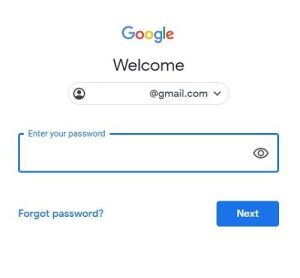
- Go to Google Ads website
- Sign in with your Google account
- Click on “Start Now”
👉 Follow the basic setup (country, time zone, billing)
2. 🎯 Choose Your Campaign Goal
Select what you want:
- Website traffic
- Leads
- Sales
- App promotion
👉 For beginners, choose Website Traffic
3. 📢 Select Campaign Type
Choose how your ad will appear:
- Search Ads (text ads on Google search)
- Display Ads (banner ads on websites)
- Video Ads (YouTube ads)
👉 Start with Search Ads (easy & effective)
4. 🌍 Set Target Audience

- Choose location (India or specific city)
- Select language
- Define audience interests
👉 Target the right audience to avoid wasting money
5. 💰 Set Your Budget
- Decide daily budget (₹100–₹500 for beginners)
- Choose bidding strategy (start with automatic)
👉 Start small, then increase later
6. 🔑 Choose Keywords
Keywords are what people search on Google.
👉 Example:
- “buy shoes online”
- “best mobile under ₹20000”
💡 Use tools like Google Keyword Planner to find good keywords
7. ✍️ Write Your Ad Copy
Create a simple and attractive ad:
👉 Example:
- Headline: “Best Shoes Under ₹999 – Shop Now”
- Description: “High quality & fast delivery. Limited offer!”
💡 Tips:
- Use numbers
- Add offers
- Include call-to-action (Buy Now, Learn More)
8. 🔗 Add Landing Page
- Add your website or product link
- Make sure the page loads fast and looks clean
👉 A good landing page = better conversions
9. 🚀 Launch Your Ad

- Review everything
- Click “Publish”
🎉 Your first ad is now live!
📊 Important Tips for Success

- Start with low budget
- Test multiple ads
- Use relevant keywords
- Track performance regularly
- Optimize based on results
⚠️ Common Mistakes to Avoid
- Targeting too broad audience
- Using wrong keywords
- Poor ad copy
- Not tracking conversions
- Sending traffic to weak landing pages
🏆 Conclusion
Running your first ad on Google Ads may feel confusing at first, but once you understand the basics, it becomes very powerful.
👉 Start small, learn from data, and improve step by step.
With consistency, you can turn ads into a profitable income source 💰
❓ Frequently Asked Questions (FAQs)
1. 🤔 Is Google Ads good for beginners?
Yes, Google Ads is beginner-friendly if you follow a step-by-step approach and start with a small budget.
2. 💸 How much money do I need to start?
You can start with as low as ₹100–₹500 per day.
3. ⏳ How long does it take to see results?
You can start getting clicks within a few hours, but conversions may take a few days of testing.
4. 🔑 How do I find the best keywords?
Use tools like Google Keyword Planner to find high-search, low-competition keywords.
5. 📱 Can I run ads without a website?
Yes, you can run ads to YouTube videos or landing pages, but having a website is recommended.
6. 📈 How can I improve my ad performance?
- Optimize keywords
- Improve ad copy
- Test different ads
- Use better landing pages