Common Web Design Mistakes That Kill Your Website 🚫

❌ 1. Slow Loading Speed

If your website takes more than a few seconds to load, users will leave before even seeing your content.

Why it’s a problem:
People expect fast experiences. A slow website increases bounce rate and hurts SEO.

How to fix it:

  • Compress images
  • Use optimized code
  • Choose a fast hosting provider

πŸ“± 2. Not Mobile-Friendly

Most users browse on mobile devices. If your site isn’t responsive, you’re losing a huge audience.

Why it’s a problem:
Poor mobile experience leads to frustration and high exit rates.

How to fix it:

  • Use responsive design
  • Test on multiple screen sizes
  • Optimize buttons and text for mobile

🎨 3. Poor Color Choices

Using too many colors or low-contrast combinations can make your website hard to read and unprofessional.

Why it’s a problem:
Confusing visuals reduce trust and readability.

How to fix it:

  • Stick to 2–4 colors
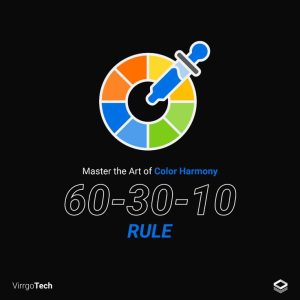
  • Follow the 60-30-10 rule
  • Maintain proper contrast

πŸ”€ 4. Bad Typography

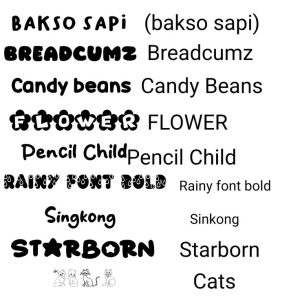
Unreadable fonts, soo many font styles, or very small text can ruin user experience.

Why it’s a problem:
If users can’t read your content, they won’t stay.

How to fix it:

  • Use simple, clean fonts
  • Limit to 2–3 font styles
  • Ensure proper font size and spacing

🧭 5. Confusing Navigation

If users can’t find what they’re looking for quickly, they’ll leave your site.

Why it’s a problem:
Poor navigation increases frustration and bounce rates.

How to fix it:

  • Keep menus simple
  • Use clear labels
  • Add a search bar if needed

πŸ“’ 6. Weak or Missing Call-to-Action (CTA)

A website without a clear CTA is like a shop without a cashier.

Why it’s a problem:
Users don’t know what action to take next.

How to fix it:

  • Use clear CTAs like β€œBuy Now,” β€œContact Us,” or β€œGet Started”
  • Make buttons stand out
  • Place CTAs strategically

πŸ–ΌοΈ 7. Too Much Clutter

Overloading your website with text, images, and animations creates confusion.

Why it’s a problem:
Users feel overwhelmed and leave quickly.

How to fix it:

  • Use whitespace effectively
  • Keep content concise
  • Focus on important elements

πŸ” 8. Ignoring SEO Basic

A beautiful website is useless if no one can find it.

Why it’s a problem:
Low visibility means less traffic and fewer leads.

How to fix it:

  • Use proper headings
  • Optimize images with alt text
  • Add keywords naturally

πŸ”’ 9. Lack of Trust Signals

If your website doesn’t look trustworthy, users won’t convert.

Why it’s a problem:
Visitors hesitate to share information or make purchases.

How to fix it:

  • Add testimonials and reviews
  • Use HTTPS (secure site)
  • Show contact details clearly

πŸŽ₯ 10. Overuse of Animations & Pop-ups

Too many animations or pop-ups can annoy users.

Why it’s a problem:
Interruptions ruin user experience.

How to fix it:

  • Use animations sparingly
  • Avoid intrusive pop-ups
  • Focus on smooth interactions

❓ FAQ (Frequently Asked Questions)

1. What is the biggest mistake in web design?

The biggest mistake is ignoring user experience, especially slow speed and poor navigation.

2. Why is mobile-friendly design important?

Because most users access websites on mobile devices. Without mobile optimization, you lose a large audience.

3. How does website speed affect performance?

A slow website increases bounce rate and reduces conversions, as users leave quickly.

4. How many fonts should I use on a website?

Stick to 2–3 fonts to keep your design clean and professional.

5. What is a CTA in web design?

CTA (Call-to-Action) is a button or message that tells users what to do next, like β€œSign Up” or β€œBuy Now.”

6. Why is SEO important in web design?

SEO helps your website rank on search engines, bringing more traffic and potential customers.

7. How can I make my website look professional?

Use a clean layout, consistent colors, readable fonts, and clear navigation.
How to Choose the Right Color Scheme for Your Website 🎨

🎯 Why Color Matters in Web Design

Colors create the first impression of your website. Within seconds, visitors decide whether to stay or leave, and color plays a big role in that decision. The right combination can build trust, improve readability, and increase engagement, while poor color choices can confuse users and drive them away.

🧠 Understand Color Psyclogy

Each color triggers different emotions and perceptions. Choosing colors based on your brand message is key:

  • Blue – Trust, professionalism (used by corporate and tech brands)
  • Red – Energy, urgency (great for sales and call-to-action buttons)
  • Green – Growth, health, nature (perfect for eco-friendly brands)
  • Yellow – Optimism, attention-grabbing
  • Black – Luxury, elegance
  • White – Simplicity, cleanliness

πŸ‘‰ Tip: Match your color choices with your brand personality.

🎨 Start with Your Brand Identity

Your website colors should align with your brand. If you already have a logo, use its colors as your base palette. Consistency across your website, social media, and marketing materials builds trust and recognition.

🧩 Use the 60-30-10 Rule

A simple and effective rule for balancing colors:

  • 60% – Primary color (background)
  • 30% – Secondary color (sections, cards)
  • 10% – Accent color (buttons, highlights)

This creates a clean and professional look without overwhelming users.

🌈 Choose a Color Scheme Type

Pick a scheme that suits your design style:

  • Monochromatic – Different shades of one color (clean and minimal)
  • Analogous – Colors next to each other (harmonious look)
  • Complementary – Opposite colors (high contrast, bold)
  • Triadic – Three evenly spaced colors (vibrant and balanced)

πŸ‘€ Focus on Readability & Contrast

No matter how beautiful your colors are, if users can’t read your content, your design fails.

  • Use high contrast (e.g., dark text on light background)
  • Avoid overly bright or neon combinations
  • Ensure buttons stand out clearly

πŸ‘‰ Accessibility mattersβ€”your design should be easy for everyone to use.

πŸ“± Test Across Devices

Colors may look different on mobile, tablet, and desktop screens. Always test your color scheme on multiple devices to ensure consistency and readability.

πŸ› οΈ Use Color Tools

There are many tools that can help you create the perfect palette:

  • Color palette generators
  • Contrast checkers
  • Design inspiration platforms

These tools make it easier to experiment and refine your choices.

❓ FAQ (Frequently Asked Questions)

1. How many colors should a website have?

Ideally, use 2–4 main colors. Too many colors can make your website look unprofessional and confusing.

2. What is the best color for a website?

There is no single β€œbest” color. It depends on your brand and audience. For example, blue is great for trust, while red is good for urgency.

3. How do I choose colors for my brand?

Start with your brand message and target audience. Then use color psychology and test different palettes until you find what works best.

4. Why is contrast important in web design?

Contrast improves readability and helps users easily navigate your website. It also highlights important elements like buttons.

5. Can I use bright colors on my website?

Yes, but use them carefully. Bright colors work best as accent colors, not for the entire design.

6. What is the 60-30-10 rule?

It’s a design rule that balances colors:

  • 60% primary
  • 30% secondary
  • 10% accent

7. How do colors affect user behavior?

Colors influence emotions and decisions. For example, red can create urgency, while blue builds trust.

Your Website is Slow? Fix These Design Issues Now

🚫 Why Website Speed Matters

  • Users leave if a page takes more than 2–3 seconds
  • Slow sites rank lower on search engines
  • Poor speed = low conversions

πŸ‘‰ Fast design = better experience + more sales

⚑ Top Design Issues Slowing Your Website

πŸ–ΌοΈ 1. Heavy Images (Biggest Problem)

Large, unoptimized images can slow your site badly.

❌ High-resolution images without compression
βœ… Compressed, optimized images

βœ” Fix:

  • Use WebP or compressed formats
  • Resize images before uploading
  • Use lazy loading

🎨 2. Too Many Design Elements

Overloaded design = slow performance.

πŸ‘‰ Problem:

  • Too many animations
  • Excess graphics
  • Complex layouts

βœ” Fix:

  • Keep design clean and minimal
  • Remove unnecessary elements
  • Focus on simplicity

πŸŽ₯ 3. Auto-Play Videos & Background Media

Videos can make your site look modernβ€”but they slow it down.

βœ” Fix:

  • Avoid auto-play videos
  • Use thumbnails instead
  • Optimize video size

πŸ“¦ 4. Unoptimized Fonts & Icons

Too many font styles and icon libraries increase load time.

βœ” Fix:

  • Use 1–2 font families only
  • Limit font weights
  • Use lightweight icon sets

πŸ“± 5. Not Mobile Optimized

Mobile users face slow loading if design isn’t responsive.

βœ” Fix:

  • Use mobile-first design
  • Optimize images for mobile
  • Test on different devices

πŸ”Œ 6. Too Many Plugins & Widgets

Extra features = extra load time.

βœ” Fix:

  • Remove unused plugins
  • Keep only essential tools
  • Avoid heavy third-party scripts

πŸ’» 7. Poor Code Structure

Messy code slows everything.

βœ” Fix:

  • Minify CSS, HTML, JavaScript
  • Remove unused code
  • Use clean coding practices

🌐 8. No Caching & CDN

Without caching, your site reloads everything every time.

βœ” Fix:

  • Enable browser caching
  • Use a CDN (Content Delivery Network)
  • Store static files efficiently

πŸ† Quick Speed Optimization Checklist

βœ” Compress images
βœ” Use minimal design
βœ” Avoid heavy videos
βœ” Limit fonts & plugins
βœ” Optimize for mobile
βœ” Clean and minify code
βœ” Enable caching & CDN

❓ FAQ (Frequently Asked Questions)

1. How can I check my website speed?

You can use tools like Google PageSpeed Insights or GTmetrix.

2. What is the ideal website loading time?

2–3 seconds or less is considered good.

3. Do images really affect website speed?

Yes, large images are one of the biggest causes of slow websites.

4. Can design alone slow down a website?

Yes, heavy design elements and poor structure can significantly affect speed.

5. Is fast hosting enough to fix speed issues?

No, design optimization is equally important.

πŸ“Œ Conclusion

If your website is slow, don’t just blame hostingβ€”fix your design first.

πŸ‘‰ Focus on speed, simplicity, and optimization, and your website will perform better across all metrics.


Web Design vs Web Development: What’s the Difference?

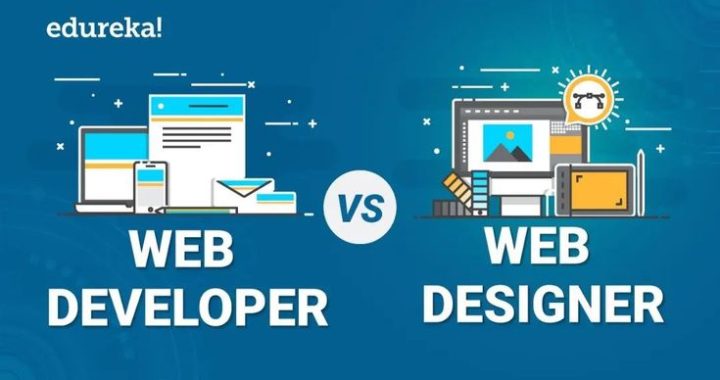
In simple words:
πŸ‘‰ Web design = How a website looks
πŸ‘‰ Web development = How a website works

Let’s break it down clearly so you understand both.

🎨 What is Web Design?

Web Design focuses on the visual appearance and user experience of a website.

βœ” What Designers Do:

  • Create layouts and structure
  • Choose colors, fonts, and images
  • Design user-friendly interfaces (UI/UX)
  • Plan how users interact with the site

πŸ‘‰ Tools commonly used:

  • Figma
  • Adobe XD
  • Canva

πŸ’‘ Goal: Make the website attractive, simple, and easy to use

πŸ’» What is Web Development?

Web Development focuses on building and functioning of the website.

βœ” What Developers Do:

  • Write code (HTML, CSS, JavaScript)
  • Build website structure
  • Connect databases
  • Make features work (forms, login, payments)

πŸ‘‰ Types of development:

  • Front-end (what users see)
  • Back-end (server, database)
  • Full-stack (both)

πŸ’‘ Goal: Make the website fast, functional, and secure

βš”οΈ Web Design vs Web Development (Comparison)

Feature Web Design Web Development
Focus Look & Feel Functionality
Skills Creativity, UI/UX Coding, Logic
Tools Figma, Canva VS Code, Git
Output Design layout Working website
Goal User experience Performance & features

πŸ”— How They Work Together

A website is successful only when both design and development work together.

πŸ‘‰ Process:

  1. Designer creates layout
  2. Developer builds it using code
  3. Final website goes live

πŸ’‘ Without design β†’ Website looks boring
πŸ’‘ Without development β†’ Website doesn’t work

πŸš€ Which One Should You Choose?

πŸ‘‰ Choose Web Design if:

  • You love creativity
  • You enjoy colors, layouts, and visuals
  • You want to work on UI/UX

πŸ‘‰ Choose Web Development if:

  • You enjoy coding and logic
  • You like solving technical problems
  • You want to build systems and features

πŸ‘‰ Best option: Learn both (Full-stack skills = high demand πŸ”₯)

πŸ“ˆ Career Scope in 2026

  • High demand for UI/UX designers
  • Growing need for full-stack developers
  • AI tools helping both roles become faster

πŸ’‘ Combining both skills gives you a strong advantage in freelancing and jobs.

πŸ† Quick Summary

βœ” Web Design = Visual experience
βœ” Web Development = Technical execution
βœ” Both are equally important
βœ” Best results come from combining both

❓ FAQ (Frequently Asked Questions)

1. Is web design easier than web development?

Web design is easier to start, but both require practice and skills.

2. Can I learn web design without coding?

Yes, many tools allow you to design without coding knowledge.

3. Which pays more: design or development?

Web development usually pays more, but skilled designers also earn well.

4. Can one person do both design and development?

Yes, that person is called a full-stack developer/designer.

5. Which is better for freelancing?

Both are good, but combining design + development gives more opportunities.

πŸ“Œ Conclusion

Web Design and Web Development are two sides of the same coin. One makes the website look great, the other makes it work perfectly.

πŸ‘‰ If you want success in the digital world, understanding both is the real game-changer.


Top Web Design Trends in 2026 You Must Follow

πŸš€ 1. AI-Powered Web Design

Artificial Intelligence is transforming how websites are built and optimized.

πŸ‘‰ What’s happening:

  • AI tools auto-generate layouts and content
  • Personalized user experiences based on behavior

βœ” Why it matters:
Faster design + better user engagement = higher conversions

🎨 2. Minimalist & Clean Design

Less is more in 2026.

πŸ‘‰ Features:

  • Simple layouts
  • White space
  • Clear typography

βœ” Why it works:
Users find information faster and don’t feel overwhelmed.

πŸŒ™ 3. Dark Mode & Visual Comfort

Dark mode is now a standard feature in modern websites.

πŸ‘‰ Benefits:

  • Reduces eye strain
  • Looks premium and modern
  • Saves battery on mobile devices

⚑ 4. Super Fast Loading Speed

Speed is everything. Even a 1-second delay can reduce conversions.

πŸ‘‰ Key focus:

  • Optimized images
  • Lightweight design
  • Fast hosting

βœ” Why it matters:
Faster websites rank better and keep users engaged.

πŸ“± 5. Mobile-First Design

Most users browse on mobile devices.

πŸ‘‰ What to do:

  • Design for mobile first, then desktop
  • Use responsive layouts

βœ” Result:
Better user experience and higher engagement

πŸŽ₯ 6. Micro-Animations & Interactive Design

Small animations make websites feel alive.

πŸ‘‰ Examples:

  • Hover effects
  • Scroll animations
  • Button interactions

βœ” Why it works:
Improves user engagement and makes browsing fun

🧠 7. Personalized User Experience

Websites now adapt to users.

πŸ‘‰ Example:
Showing different content based on user behavior or location

βœ” Benefit:
Higher chances of conversion

πŸ›’ 8. Conversion-Focused Design

Design is now about results, not just looks.

πŸ‘‰ Key elements:

  • Strong CTA (Call-to-Action)
  • Simple navigation
  • Clear value proposition

βœ” Goal:
Turn visitors into customers

πŸ”Š 9. Voice Search Optimization

With voice assistants growing, websites must adapt.

πŸ‘‰ What to include:

  • Natural language content
  • FAQ sections
  • Conversational keywords

🧩 10. No-Code & Low-Code Tools

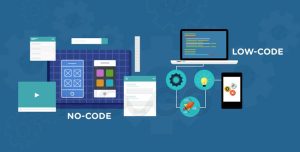
You don’t always need coding to build a website.

πŸ‘‰ Popular tools:

  • Drag-and-drop builders
  • AI website creators

βœ” Benefit:
Faster and easier website creation

❓ FAQ (Frequently Asked Questions

1. What is the biggest web design trend in 2026?

AI-powered design and personalization are the biggest trends.

2. Why is mobile-first design important?

Because most users access websites from mobile devices.

3. How can I make my website modern?

Use clean design, fast speed, and interactive elements.

4. Do I need coding skills for web design in 2026?

Not always. No-code tools make it easy to design websites.

5. How does web design affect business?

Good design improves user experience, builds trust, and increases sales.

πŸ“Œ Conclusion

In 2026, web design is about speed, simplicity, and smart user experience. If you follow these trends, your website won’t just look goodβ€”it will perform better and grow your business.